



If you’ve ever handled medical billing, you know how tricky insurance payments can be. Sometimes checks arrive late, explanations are cryptic, or staff spend hours reconciling payments. That’s where ERA—Electronic Remittance Advice—comes in.
Think of ERA as a superpower in billing: it tells you exactly what an insurance payer did with your claims, how much they paid, and why any part was denied or adjusted. But to really get the benefit, you need to understand it, use it properly, and integrate it into your workflow.
Let’s break it down step by step.
What is ERA in Medical Billing?
ERA stands for Electronic Remittance Advice. In simple terms, it’s the digital version of an Explanation of Benefits (EOB).
When an insurance company processes a claim, it sends a record showing:
- How much did they pay
- How much the patient owes
- Any adjustments or denials
- Reason codes explaining why a claim was partially paid or denied
Unlike a paper EOB, which could take days to arrive by mail, an ERA delivers this information electronically—often directly into your billing software.
Imagine you billed $150 for a therapy session. The insurance company pays $120 and leaves $30 as the patient’s responsibility. The ERA will clearly show:
- $150 billed
- $120 paid by insurance
- $30 patient responsibility
- Reason codes explaining the adjustments
Without ERA, your staff would have to track and calculate each claim manually. That’s hours of work, prone to errors. With ERA, the information comes structured and ready to post.
ERA vs. EOB: What’s the Difference?
Many providers confuse ERA and EOB, but they’re not the same.
| Feature | EOB | ERA |
| Format | Paper mailed to practice | Digital, usually in HIPAA-compliant 835 format |
| Delivery | It can take days or weeks | Same day as claim processed electronically |
| Manual Work | High; staff must enter payments | Low can be automatically posted |
| Integration | None | Direct integration with billing software |
| Error Handling | Slower, manual reconciliation | Faster, structured, automated |
Bottom line: Think of EOB as the old-fashioned paper statement, and ERA as the streamlined, digital version that lets your team post payments faster and accurately.
How ERA Works in the Billing Cycle
Understanding ERA isn’t just about what it is—it’s about how it fits into the billing workflow. Here’s how it works:
Step 1: Claim Submission
You submit a claim electronically or on paper. This claim includes all details of the patient visit: CPT and ICD-10 codes, provider information, and charges.
Step 2: Insurance Processing
The payer processes the claim, checks coverage, and determines payment.
Step 3: ERA Generation
Once the claim is processed, the payer generates an ERA, typically in EDI 835 format. This document details payment, denials, adjustments, and reason codes.
Step 4: ERA Delivery
The ERA is sent electronically, usually through a clearinghouse or directly to your billing software.
Step 5: Payment Posting
Your staff or your software posts payments to the patient accounts. The ERA ensures that each payment and adjustment is applied accurately.
Step 6: Reconciliation and Follow-Up
Any denials, partial payments, or adjustments are flagged for review. The team can quickly identify issues and take corrective action.
Benefits of Using ERA in Medical Billing
ERAs transform billing from a tedious manual task into a streamlined process. Here’s why they matter:
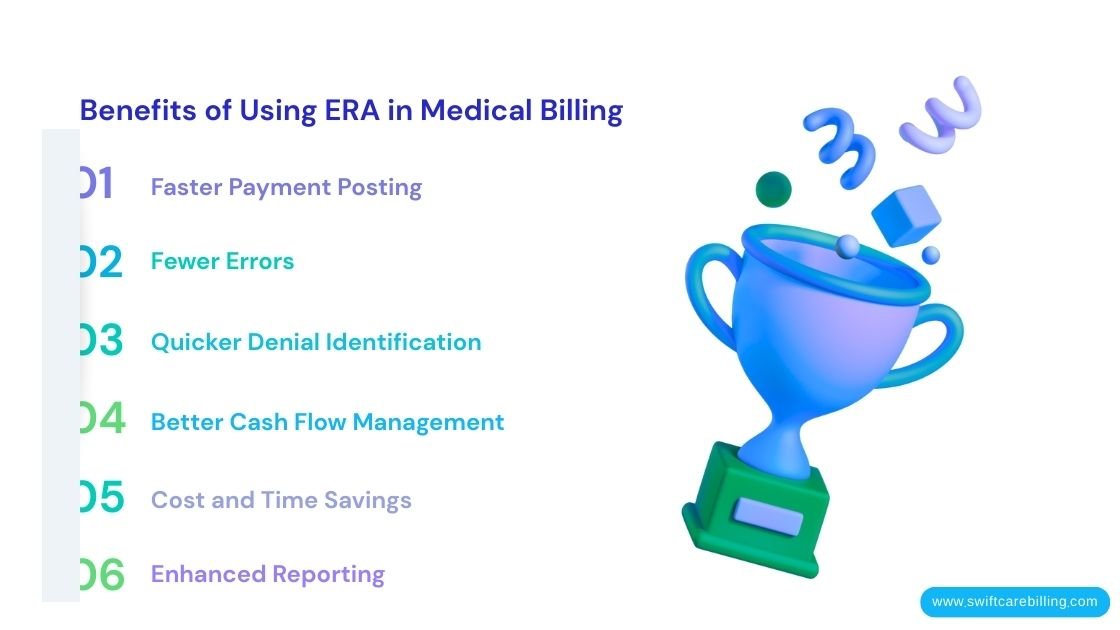
- Faster Payment Posting – Payments post automatically, reducing the lag between claim submission and payment.
- Fewer Errors – Automation prevents typos and misapplied payments.
- Quicker Denial Identification – Adjustment codes reveal problems immediately, allowing faster follow-up.
- Better Cash Flow Management – Accurate posting keeps your accounts receivable up to date and helps you track outstanding balances.
- Cost and Time Savings – Less paper, less staff time, and fewer phone calls.
- Enhanced Reporting – You can analyze denial trends, underpayments, and payer performance for smarter revenue decisions.
Common ERA Codes Used for Adjustments
When an insurance company processes your claim, it rarely pays the full amount exactly as billed. Some portion may be reduced, denied, or shifted to the patient. ERAs communicate these changes using standard codes, which tell you exactly why a claim was adjusted. Understanding these codes is essential for accurate posting, quick follow-up, and revenue recovery.
There are three main types of codes you’ll see in an ERA:
Adjustment Reason Codes (ARC)
Adjustment reason codes explain why a payment was different from the billed amount. These are standardized across payers, so once you learn them, you can quickly interpret any ERA.
Standard Adjustment Reason Codes:
- CO-45: Charge exceeds fee schedule or maximum allowable amount
- Example: You billed $200, but the payer only allows $150 for that procedure. The ERA shows $50 reduction with CO-45.
- PR-1: Patient responsibility (copay, coinsurance, deductible)
- Example: The patient has a $20 copay. The insurance pays its portion, and PR-1 indicates that the $20 is the patient’s responsibility.
- CO-18: Duplicate claim or service
- Example: A claim was submitted twice by accident. The payer denies the second submission with CO-18.
- CO-97: Pre-certification or authorization not received
- Example: The insurance requires prior authorization for an MRI. If it wasn’t obtained, the claim is partially or fully denied with CO-97.
- CO-50: Non-covered services
- Example: A cosmetic procedure or specific elective treatments may be excluded from coverage. CO-50 signals this adjustment.
- CO-96: Non-covered charge; patient responsible
- Similar to CO-50, but specifically indicates that the patient must pay.
- CO-119: Benefit maximum exceeded
- Example: The patient’s insurance allows only 20 therapy visits per year. A 21st visit may be denied under CO-119.
Tip: Keep a reference sheet of these codes for your billing staff. It speeds up posting and reduces confusion during payment reconciliation.
Claim Adjustment Group Codes (CAGC)
While Adjustment Reason Codes tell you why an amount changed, Claim Adjustment Group Codes classify adjustments into broader categories:
- CO – Contractual Obligations: Reductions based on your contract with the payer.
- PR – Patient Responsibility: Amounts the patient must pay (deductible, coinsurance, copay).
- OA – Other Adjustments: Miscellaneous adjustments, often due to policy rules or payer-specific reasons.
Example:
The insurance company pays $20, and the patient pays $70 on a $100 claim. The remaining $10 was denied because it exceeded the allowed fee.
- CO $10 → Contractual adjustment
- PR $20 → Patient responsibility
- Insurance pays $70
This grouping makes it easier to categorize payments in your billing software.
Remittance Advice Remark Codes (RARCs)
Remittance Advice Remark Codes (RARCs) are standardized codes in an ERA that provide additional information about the payment or denial.
- ARCs = Why a claim was adjusted
- RARCs = Extra context about that adjustment
Think of it this way: if ARCs are the “headline,” RARCs are the “details” that explain the story.
Example:
You submit a claim for $200:
- ARC CO-45 → Charge exceeds the fee schedule
- RARC N123 → Service not covered under patient’s plan
Here, CO-45 tells you it’s a contractual adjustment, while N123 explains why it was reduced—your patient’s insurance doesn’t cover this service under their plan.
Without RARCs, you’d know something was reduced but not exactly why, which could lead to confusion, misposted payments, or unnecessary follow-ups.
RARCs are not just extra codes—they provide actionable information that directly impacts your revenue cycle:
- Accurate Payment Posting
- RARCs tell you exactly how to apply payments and patient responsibility.
- Quick Denial Resolution
- Some RARCs indicate issues that can be appealed. Others are informational; knowing the difference speeds up follow-up.
- Patient Communication
- When patients owe money, RARCs help explain why in clear, actionable terms.
- Trend Analysis
- Frequent RARCs from a specific payer may highlight recurring issues, like underpayment or missing authorizations.
Scenario:
A therapy clinic receives an ERA showing:
- ARC PR-1 → Patient responsibility $20
- RARC M8 → Amount applied to deductible
Instead of guessing, staff immediately know the $20 is due from the patient and is applied toward their deductible. This prevents billing errors and confusion.
Here are some widely encountered RARCs and their practical applications:
| RARC Code | Description | Action for Billing Staff |
| N121 | Charges exceed your contracted/allowed amount | Verify contract; post patient responsibility if required |
| N123 | Service not covered by patient plan | Review coverage; inform patient if needed |
| M8 | Patient is responsible for the deductible | Post to patient account |
| MA45 | Service denied for medical necessity | Check documentation; prepare an appeal if appropriate |
| N102 | Procedure not covered under payer policy | Update patient account; adjust billing if necessary |
| M15 | Duplicate claim/service | Correct duplicate in system; resubmit if applicable |
Example in Practice:
A patient receives therapy sessions totaling $250. Insurance pays $200:
- ARC CO-45 → Contractual adjustment
- RARC N121 → Allowed amount per contract
Your staff now knows $50 is reduced due to contract limits—not a denial—so patient billing is correct and no appeal is needed.
How to Maximize ERA Benefits in Medical Billing
Receiving an ERA is great—but only if you actually use it to its full potential. Many practices post payments and move on, missing opportunities to accelerate cash flow, reduce denials, and recover lost revenue.
ERAs are more than just a payment notice—they’re a roadmap for improving your revenue cycle. Here’s how to make them work for you.
Automate Payment Posting
One of the most significant advantages of ERAs is that they can post payments automatically to patient accounts in your billing software.
Why it matters:
- Reduces manual entry errors
- Saves hours of staff time
- Updates patient balances in real-time
Pro Tip: Make sure your software can interpret both ARCs and RARCs to post payments and adjustments accurately.
Use ERA Codes to Track Denials and Adjustments
ERAs don’t just show what was paid—they show what wasn’t paid and why. Every ARC and RARC is an opportunity to recover revenue.
Steps:
- Review each ARC and RARC carefully.
- Identify denials or partial payments that are recoverable.
- Track recurring reasons for denials.
- Take corrective action immediately.
Reconcile Payments Quickly
The faster you reconcile ERA data with your posted claims, the sooner you know:
- Which claims were fully paid
- Which needs patient billing
- Which require follow-up with insurance
Best Practice:
- Reconcile daily or at least every 48 hours.
- Flag any discrepancies immediately.
- Prevents claims from slipping through the cracks, which can lead to aged A/R and lost revenue.
Prioritize Actionable Denials
Not all ERA adjustments need follow-up—but some do. Understanding which codes require action helps your team focus on revenue recovery.
Actionable Denials Often Include:
- CO-97 / MA45 → Authorization or medical necessity issues
- CO-18 / M15 → Duplicate claims
- PR-1 / M8 → Patient deductible responsibility that needs verification
Tip: Create a “denial priority list” for your staff. High-priority denials get immediate attention, while informational adjustments are noted for records.
5. Analyze Trends and Patterns
ERAs are a goldmine of data. Over time, you can use them to identify:
- Payers that underpay frequently
- CPT codes that are often denied
- Recurring coding or documentation issues
Example:
After 6 months of analyzing ERA trends, a clinic realizes one payer consistently denies 90837 sessions, citing medical necessity. They update documentation templates and reduce denials by 40%.
Pro Tip: Use ERA data to educate providers and staff on common pitfalls to prevent future denials.
Integrate Patient Communication
ERAs also help streamline patient billing. By knowing precisely what portion of a claim is the patient’s responsibility (PR codes, deductibles, coinsurance), you can:
- Send clear statements
- Explain patient balances accurately
- Reduce confusion and billing disputes
Train Your Staff
Even the best systems fail if staff don’t understand ERAs.
Training Tips:
- Teach staff how to read ARCs and RARCs
- Show how to post payments correctly
- Explain which adjustments require action
- Encourage trend tracking and reporting
Well-trained staff use ERA data proactively rather than reactively, maximizing revenue and efficiency.
Conclusion
ERAs are more than just electronic statements—they’re a roadmap to running a smoother, more profitable medical billing process. They give you clarity on what was paid, why adjustments occurred, and what your patients owe. By understanding ARCs and RARCs, reconciling payments promptly, prioritizing actionable denials, and using ERA data to educate your staff, your practice can:
- Reduce errors and manual workload
- Speed up cash flow
- Recover revenue that might otherwise be lost
- Communicate clearly with patients
- Make smarter, data-driven decisions for your practice
When used effectively, ERAs transform billing from a stressful, error-prone task into a streamlined, predictable workflow that keeps your practice financially healthy.
Don’t Let Complex Eras Slow Down Your Revenue Cycle.
Swiftcare Billing helps healthcare providers post payments accurately, manage denials, and optimize cash flow using the full power of ERA data. Our team handles the technical details so you can focus on what matters most—patient care.
Turn your ERA insights into faster payments, fewer denials, and a healthier bottom line.
Get started today with Swiftcare Billing.